

The Launch Portal
A letter for coaches about to launch

Hey,
your launch should
feel calm.

I've watched a hundred online business owners launch in a panic. Stripe failing, emails not sending, the course area locking everyone out of Module 2. Same six things, every time.

So I built it into a member portal. Every single thing I check before a client of mine is allowed to launch: five modules, video walkthroughs, checklists, the troubleshooting guide. About four hours of your time. The same system I use, yours for $197.

Instant access. One-time payment. Use the portal for every launch you ever do.

Nusrat
Nusrat,
the tech & systems person you wish you had on speed dial
where the checklist was written
Nusrat
Nusrat, May '26
NG/LRP
Just
$197
one time
If you're nodding, this is for you

You've been here before, haven't you.

01

You sat down to write your launch emails and ended up debugging your funnel for three hours.

02

Launch day arrived and someone DM'd you that their card didn't go through. You don't know if it's a setting, a webhook, or just them.

03

You switched from ConvertKit to Kajabi six weeks ago and you still don't fully trust that your automations are firing.

04

You went to bed at 1am the night before launch because something was wrong with the welcome email and you couldn't tell what.

None of this is because you're bad at your business. It's just that nobody handed you the list. So here it is.

Watch a 2-minute walkthrough
What's inside the portal and who it's for
00:00
02:14
What it actually is

A two-minute look before you decide.

No long pitch. I walk you through what's inside the portal, who it's for, and how to know in 30 seconds whether it's right for you. Watch it. Then decide.

0+
Launches backed by this exact system
0 yrs
Building the backend of online businesses
0
Platforms inside the portal. Kajabi to GoHighLevel.
0 hrs
Average completion time, one focused session
Inside the portal

Five modules.
One system. Every launch.

Each module inside the portal has a video walkthrough, a step-by-step checklist, the biggest mistakes I see, and one clear action step before you move on. Expand any module to see what's waiting for you.

What's in this module
  • DNS, SSL and redirects checklist
  • Landing page audit (the one buyers actually see)
  • Page-load speed quick wins
  • 404s, broken links, missing favicons
You'll walk away with

You close this module knowing your site loads fast, looks right on mobile, and won't embarrass you when buyers arrive.

What's in this module
  • End-to-end checkout test (your card, real money, refunded)
  • Stripe, PayPal and tax connection check
  • Discount codes and currency settings
  • Receipt delivery and confirmation pages
You'll walk away with

You've bought your own product. You've seen exactly what your customers see. Nothing is left to hope.

What's in this module
  • Welcome and onboarding sequence
  • Post-purchase confirmation and access emails
  • Cart abandonment flow
  • Deliverability and spam-folder check
You'll walk away with

Every email fires in the right order, to the right person, on the right day, and you have proof, because you received them yourself.

What's in this module
  • Course area login and access flow
  • Module unlock logic and drip schedules
  • Welcome message and orientation
  • Community / Slack / Circle handover
You'll walk away with

Your first student logs in and immediately feels cared for, not like they've wandered into a building site.

What's in this module
  • Pre-launch tech freeze (what to stop touching)
  • Live launch-day monitoring setup
  • Backup plan if something breaks
  • Post-launch debrief checklist
You'll walk away with

Launch day feels like a normal working day. Calm, prepared, boring on the tech side, exactly as it should be.

What 5 days looks like

Start Monday. Launch Friday. Sleep.

The portal works on any timeline, but here's the most common one. About an hour a day inside your member access, finished and launch-ready by the end of the week.

1
Day 1

Audit

Log into the portal, run Module 01's checklist against your current setup. You'll find the gaps in about 90 minutes.

2
Day 2

Fix

Modules 01 and 02. Site, checkout, payment flow. Test the checkout with your own card before you move on.

3
Day 3

Wire

Modules 03 and 04. Email automations and course delivery confirmed. Send yourself the welcome sequence.

4
Day 4

Rehearse

Module 05. Lock the tech, brief whoever's helping you, and set up monitoring. Nothing changes after today.

5
Day 5

Launch

You spend launch day talking to buyers and answering DMs. The portal already did its job.

The trade

$197
for a calmer launch,
forever.

One coffee, one lunch out, one tiny fraction of a Stripe refund you don't have to issue. Access the portal for the launch you're planning, and the next one, and the one after that.

The maths

$333 of stuff. For $197.

The Launch Portal (5 modules · video walkthroughs)$197
Pre-Launch Tech Freeze Checklist$29
Platform Switching Cheat Sheet$39
11pm Troubleshooting Reference$49
Launch-Day Slack-and-DM Templates$19
If you bought the pieces
$333
Your price today
$197

One-time payment. Instant access. Yours for every launch.

You have three options

Figure it out, hire it out, or use the list.

None of these are wrong. They just cost different amounts of time and money, and produce different amounts of stress.

Compare
Your three options
Do it yourself
YouTube, blog posts, hope
Best fit, today
This portal
$197. About 4 hours.
Done-for-you
$2,297. I do everything.
Time investment
20 to 40 hours of YouTube
About 4 hours in the portal
0 hours, mine
Cost
Free, but expensive in time
$197, one time
$2,297, per launch
Catches the small stuff
If you remember to look
Yes, built into every module
Yes, by me
Works for your platform
Maybe, depends on the tutorial
Yes, all seven major stacks
Yes, all of them
Reusable for next launch
Restart from zero
Yes, re-run the portal every time
Re-hire each time
Stress on launch day
Variable. Usually high.
Low. Most things sorted in advance.
None. I'm on call.
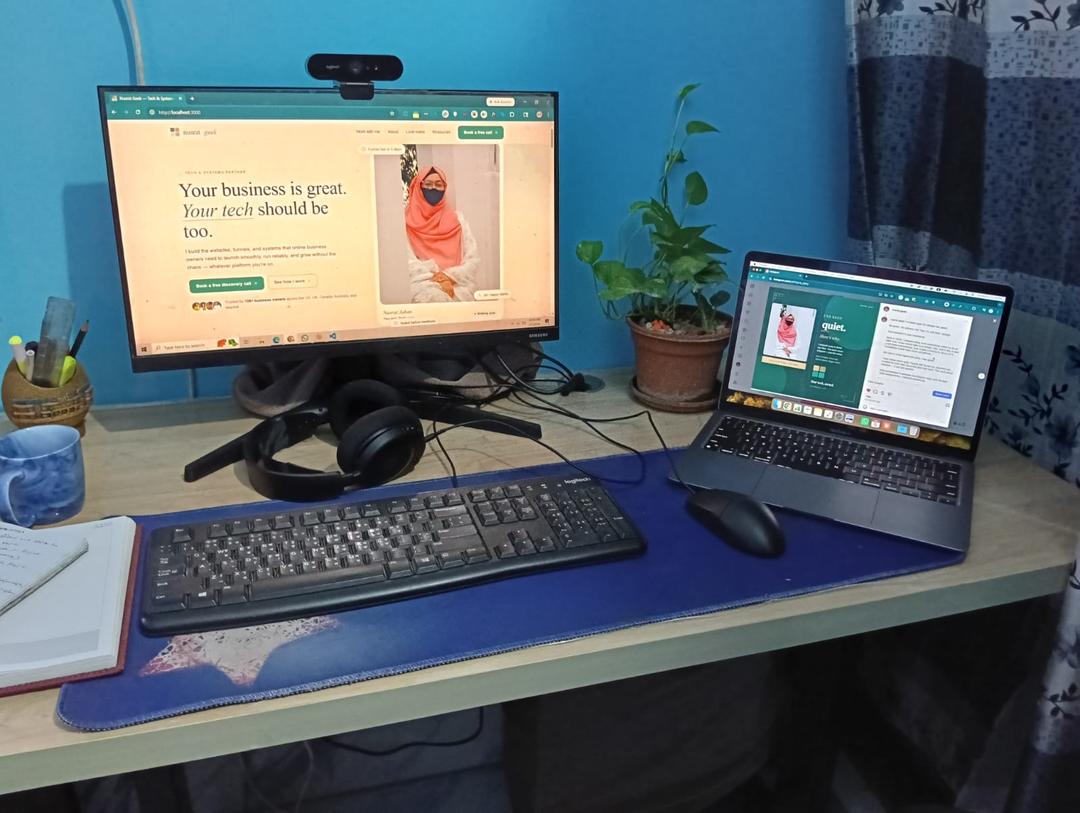
Nusrat at her desk
Nusrat Jahan
Tech & Systems Partner. 6 years. 100+ launches.
From me to you, plainly

I built this because I was tired of watching the same thing break on every launch.

For six years, I've been the person founders call at 11pm before launch day. Stripe webhook silently failing. Welcome email going to spam. Course area locking everyone out of Module 2. Always the same six or seven things. Always preventable.

After the hundredth fire, I started keeping a checklist. Then a longer one. Then I added screenshots, then video walkthroughs, then a section on what to do when it breaks anyway.

That checklist became this portal. Nothing fancy, nothing theoretical. It's exactly what I work through before I let any client of mine launch. You get access for $197 instead of $2,297, because most of you don't need me in person, you just need the system.

Your launch should feel boring on the tech side. Calm, predictable, finished. That's the promise.

Nusrat,nusratgeek.com
And honestly, also

Four extra things I couldn't leave out.

Included. Not extra. Worth $136 on their own.
Bonus 01$29

Pre-Launch Tech Freeze Checklist

The exact list of things to stop touching 72 hours before launch. Print it, pin it to your wall, follow it, sleep at night. Inside the portal, instantly.

Bonus 02$39

Platform Switching Cheat Sheet

Moving from ConvertKit to Kajabi? Squarespace to ClickFunnels? The migration order that keeps your list, your sales and your sanity intact, no lost contacts, no broken automations.

Bonus 03$49

11pm Troubleshooting Reference

When something breaks the night before launch, this is what you open. Symptom, cause, fix. No Googling, no forum scrolling, no waiting until morning.

Bonus 04$19

Launch-Day Slack-and-DM Templates

Ready-to-send replies for the four messages every launch creator gets. "Did my payment go through?" "I didn't get my login." "Is there still time to join?" "Can I pay in instalments?"

The work behind the portal

The system inside was built doing this for real clients.

Every module, checklist, and tool in this portal came from 6 years of launch tech work. Here is what those clients said.

Tested on
KajabiConvertKitClickFunnelsGoHighLevelSquarespaceThriveCartCircleKajabiConvertKitClickFunnelsGoHighLevelSquarespaceThriveCartCircleKajabiConvertKitClickFunnelsGoHighLevelSquarespaceThriveCartCircle

OMG, you have done such a good job! I feel like this has been my easiest most fun launch ever! I always feel so burned out and I feel so great this time, thank you.

Jenna O'Keefe
Jenna O'Keefe
Mindset Coach

I loved working with Nusrat because she made all my tech stress disappear! Her tech knowledge is vast. She made everything go much more smoothly. She's a gem!

Heather Mills
Heather Mills
Burnout Coach

I needed a sales page up fast for a mini launch that I did, and she got the job done with speed and quality. It looked great and helped me bring in 20 new clients.

Damian Nordmann
Damian Nordmann
Wealth & Business Coach

Nusrat knows how to listen and knows how to guide. In my case, it has been a guiding light in the launch of my course. The ideas and steps to take were much clearer and more precise.

Paloma Aviles Nuevo
Paloma Aviles Nuevo
Photoshop Mentor & Photographer

Nusrat has been amazing to work with. Super fast, reliable and really knows Kajabi inside out. Gets things done properly and without the stress.

Simone Eyles
Simone Eyles
Founder, disinfluencer

I've worked with Nusrat when I was stuck on complex tech and she's always been so knowledgeable, and super easy to work with. She's my tech angel!

Stephanie King
Stephanie King
Marketing Consultant
Before you buy

Let's check this is actually for you.

This is for you if
You're launching for the second time, or fifth, and you know that one thing always slips through.
You're about to launch for the first time and you'd like the safety net of a real-world system, not a random YouTube checklist.
You've switched platforms recently and you can feel that something somewhere isn't quite wired up.
And honestly, not for you if
You haven't picked an offer yet. Get the offer right first, then come back to the portal.
You want someone else to do the work. Book a call. That's a different conversation.
Honest list of what the portal is not

Things I'm not promising you.

  • Done-for-you setup. If you want that, book a call about VIP Launch Week.
  • 1:1 calls with me. (You can add a 30-minute audit call at checkout if you want.)
  • Hand-holding through every platform's settings menu. The portal shows you exactly where to look. You still have to click.
  • Magic. Your offer still has to be one people actually want.
Things you're probably thinking

The honest answers, not the marketing ones.

You absolutely can. I did, for years. The portal isn't information you can't find. It's the order, the gaps, and the specific things people forget. About 4 hours of structured work inside the portal, instead of 40 hours of YouTube rabbit holes and missing the one setting that breaks your checkout.

You don't have to. The portal is $197, not $1,970. Get access, work through it, and if it doesn't catch at least three things you'd have missed, I'll happily refund you. (Final sale stays final, but I'd rather you tell me what's broken than feel ripped off.)

If you're on Kajabi, ConvertKit, ClickFunnels, GoHighLevel, Squarespace, WordPress, ThriveCart, Teachable, Podia, MemberVault, Circle, Skool, Stan, Beacons, Carrd, or any combination of those, yes. The portal is platform-agnostic. I explain the principle, then show you where to find each setting on the seven most common stacks.

Honest answer: that does happen, with any program, any course, anything. So I designed the portal to be completed across one long Sunday or three short evenings. There's a clear action step at the end of every module. If you've got 4 hours and a coffee, you can finish this and have something real to show for it.

Totally fair. If after going through the portal you decide you'd rather hand it off, I run VIP Launch Week: one week, I do everything. Book a free call, mention you bought the portal, and I'll credit the $197 toward the VIP price.

Five modules, each with a video walkthrough (about 8 minutes each), a step-by-step checklist, the most common mistakes I see, and one clear action step before you move on. Plus: a printable launch-day checklist, a troubleshooting reference for 11pm emergencies, a platform-switching cheat sheet, and launch-day DM templates. All instant access, all yours, every launch.

One more time, plainly

Buy it, do the work,
launch without
the panic.

I built it because I wished it existed. Get access once and run it for every launch you ever do.

If working through the portal doesn't make your next launch noticeably calmer, write to me at hello@nusratgeek.com and I'll personally help you find what you missed.

Instant accessOne-time paymentUse every launch
Everything inside the portal
The Launch Portal
5 modules · video walkthroughs · checklists
$197
Pre-Launch Tech Freeze Checklist
Print it. Pin it. Follow it. Sleep.
$29
Platform Switching Cheat Sheet
Migration order that saves your list and sanity
$39
11pm Troubleshooting Reference
Symptom. Cause. Fix. No Googling at midnight.
$49
Launch-Day Slack & DM Templates
Answers for the four messages you'll definitely get
$19
If bought separately
$333
Your price today
$197
LaunchReady
The Launch Portal
5 modules. 4 hours. Yours forever. $197.